Stores a set of Parameters, Conditions, Orders, and a Defined By clause, in order to invoke it from different queries, calculations, etc. and reuse the same navigation several times.
Defining Data Selectors brings the following advantages:
- Saving and reusing code: You define a Data Selector once, and you can use that definition in several places in the Knowledge Base
- Less maintenance: You change a Data Selector definition in one place, and it applies automatically everywhere it is used in the Knowledge Base
- They facilitate new GeneXus users training: They provide code encapsulation and are easy to learn, define and use
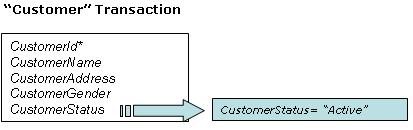
Look at the “Customer” transaction above. It contains the CustomerStatus attribute, and one of the possible values that it stores is “Active”.
Suppose that you need to query the "active customers" (CustomerStatus= “Active”) in many objects. For example:
- a procedure of active customers, grouped by Gender
- a procedure that applies a discount for active customers
- a web panel that shows the total purchases of each active customer
So, it is appropriate to define a Data Selector with the filter condition and invoke it from the necessary places.
Once a Data Selector has been created, it basically contains:
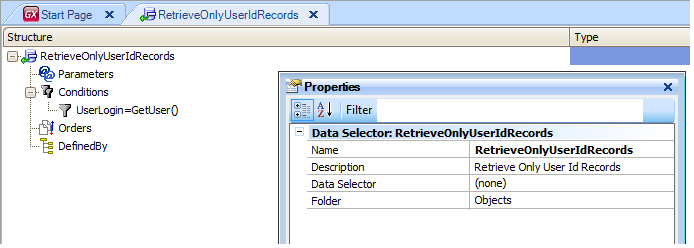
- A structure (here Parameters, Orders, Filters and Defined By clauses are defined)
- Properties
- Documentation
Look at the following images, which show a Data Selector named "RetrieveOnlyUserIdRecords" that defines the proposed filter:
Once a Data Selector is defined, it can be invoked from:
Data Selectors in Grids
Data Selectors in Aggregations
Data Selectors in Data Providers
Data Selectors in For Each command
 Data Selectors